
6 Free Printable Christmas Bookmarks to Print & Color
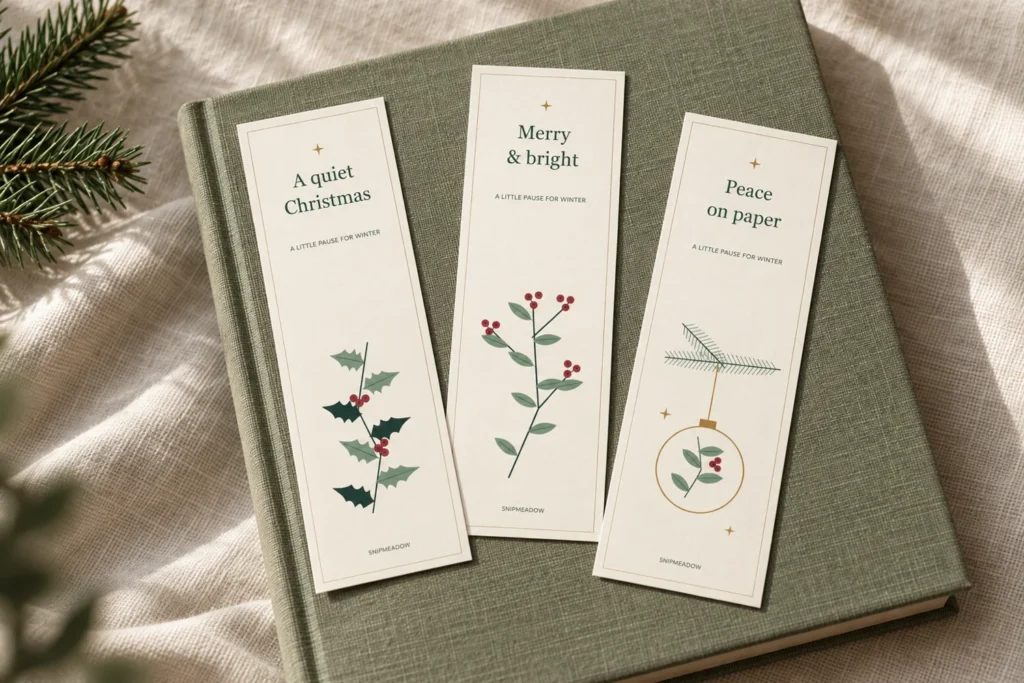
The main image is a styled digital preview; the design previews below show the printable artwork.
These free printable Christmas bookmarks add a little winter greenery to your next chapter. Download six original botanical designs in full color, or choose their black-outline versions for a quiet coloring project. Both options are included in the free A4 and US Letter PDFs below.
Each finished bookmark measures 2 × 6 inches at actual size. Slip one into a gift book, keep a place in your December journal, or print a favorite for yourself. No email signup is needed to download the files.
Jump to the free PDF downloads · Jump to printing instructions
Table of Contents
Download your free printable Christmas bookmarks
Choose the file that matches the paper in your printer. Each PDF has four pages: six color bookmarks across pages 1–2, followed by the same six designs as outlines on pages 3–4. You do not need to print every page.
Free printable Christmas bookmarks — US Letter PDF
Free printable Christmas bookmarks — A4 PDF
| PDF page | Designs on the sheet | Version |
|---|---|---|
| 1 | Holly & quiet, Evergreen chapter, Winter berries | Full color |
| 2 | Pinecone stories, Hanging ornament, Mistletoe moment | Full color |
| 3 | Holly & quiet, Evergreen chapter, Winter berries | Outlines to color |
| 4 | Pinecone stories, Hanging ornament, Mistletoe moment | Outlines to color |
Printing just one favorite? Use the table to select its page in the print dialog. Each page contains three bookmarks, so keep the two extras in an envelope for another book or a small gift. Printing one selected page at a time avoids using ink on designs you do not need today.
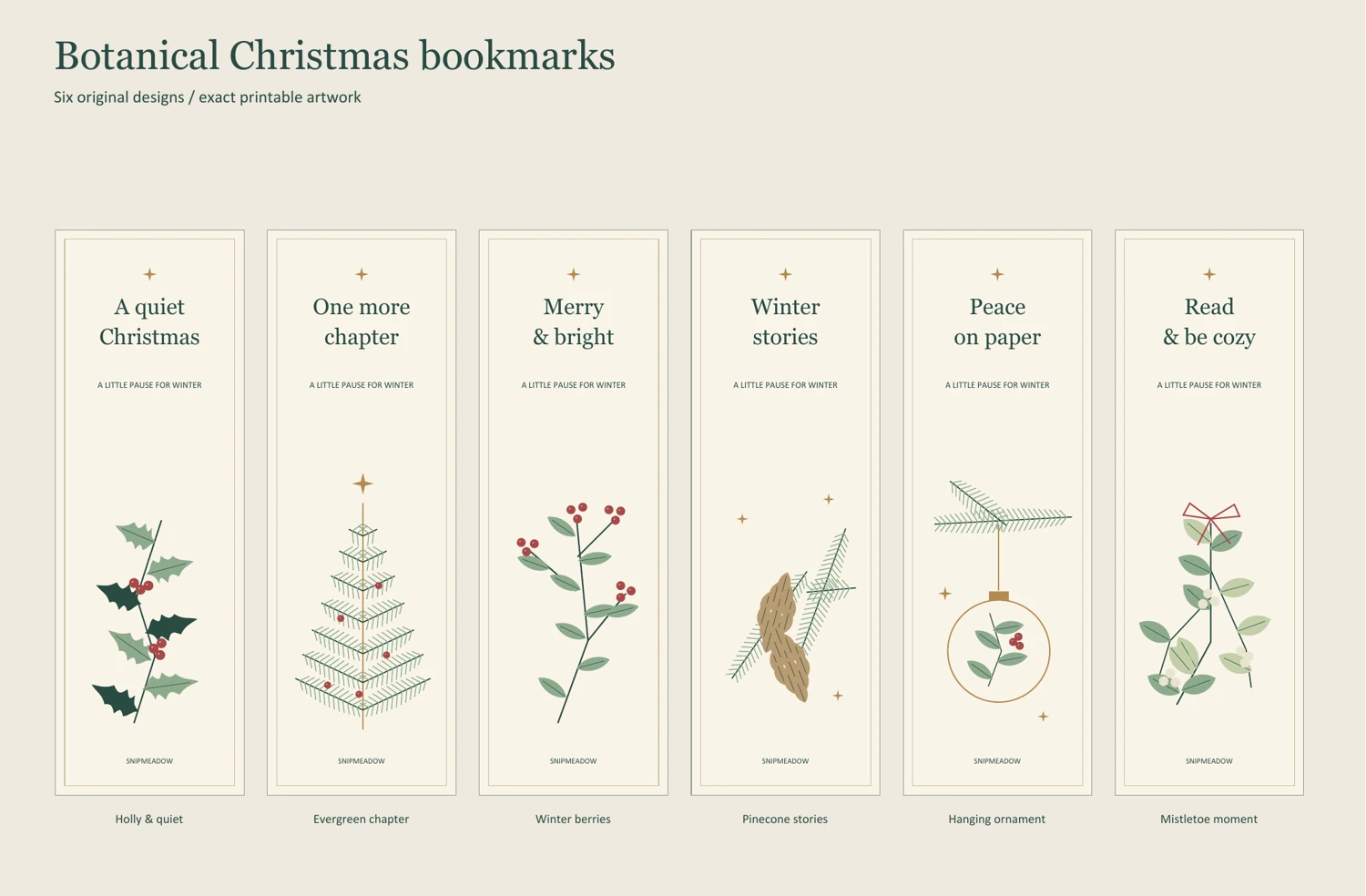
The free printable Christmas bookmarks have straight outer cutting lines, a fine inner frame and a blank reverse when printed single-sided. The cream backgrounds and green, berry-red and muted gold details are part of the color artwork; gold areas print as ordinary ink, not metallic foil.
Personal use and personal gifting only. You may print copies for yourself and give the finished bookmarks as personal gifts. Please do not sell or redistribute the digital files. Share the link to this article so friends can choose their own paper size.
Choose from six botanical bookmark designs
The set uses simple winter plants and short reading phrases. Choose one motif to repeat for a coordinated gift, or print both color pages for six different bookmarks.
1. Holly & quiet
Pointed holly leaves and red berry clusters sit below “A quiet Christmas.” This is the most Christmas-specific wording in the set. Pair it with a festive story, or tuck it into the book you plan to read during a slower December evening.
2. Evergreen chapter
A fine-lined evergreen tree, tiny red details and a gold star accompany “One more chapter.” The generous cream space around the tree keeps the design calm. Its outline version gives you small branches to color with a sharpened pencil.
3. Winter berries
“Merry & bright” sits above a leafy berry stem. The red berries are the main accent, so this bookmark works well beside plain kraft wrapping or a green book cover. Choose two pencil colors for an equally simple outline version.
4. Pinecone stories
A pinecone and needles give “Winter stories” a woodland feel. This wording also works after Christmas, making it a useful choice for a January reading pile. Leave the cream background uncolored if you prefer a lighter finish.
5. Hanging ornament
“Peace on paper” has a round ornament suspended from an evergreen branch. A small botanical sprig fills the bauble. Keep the printed gold outline as it is, or use a warm yellow pencil on the coloring version.
6. Mistletoe moment
A red bow, rounded leaves and pale berries frame “Read & be cozy.” It is a gentle option for a book-lover gift or your own reading journal. The outline version leaves plenty of space to choose a completely different palette.
Color versions or Christmas bookmarks to color
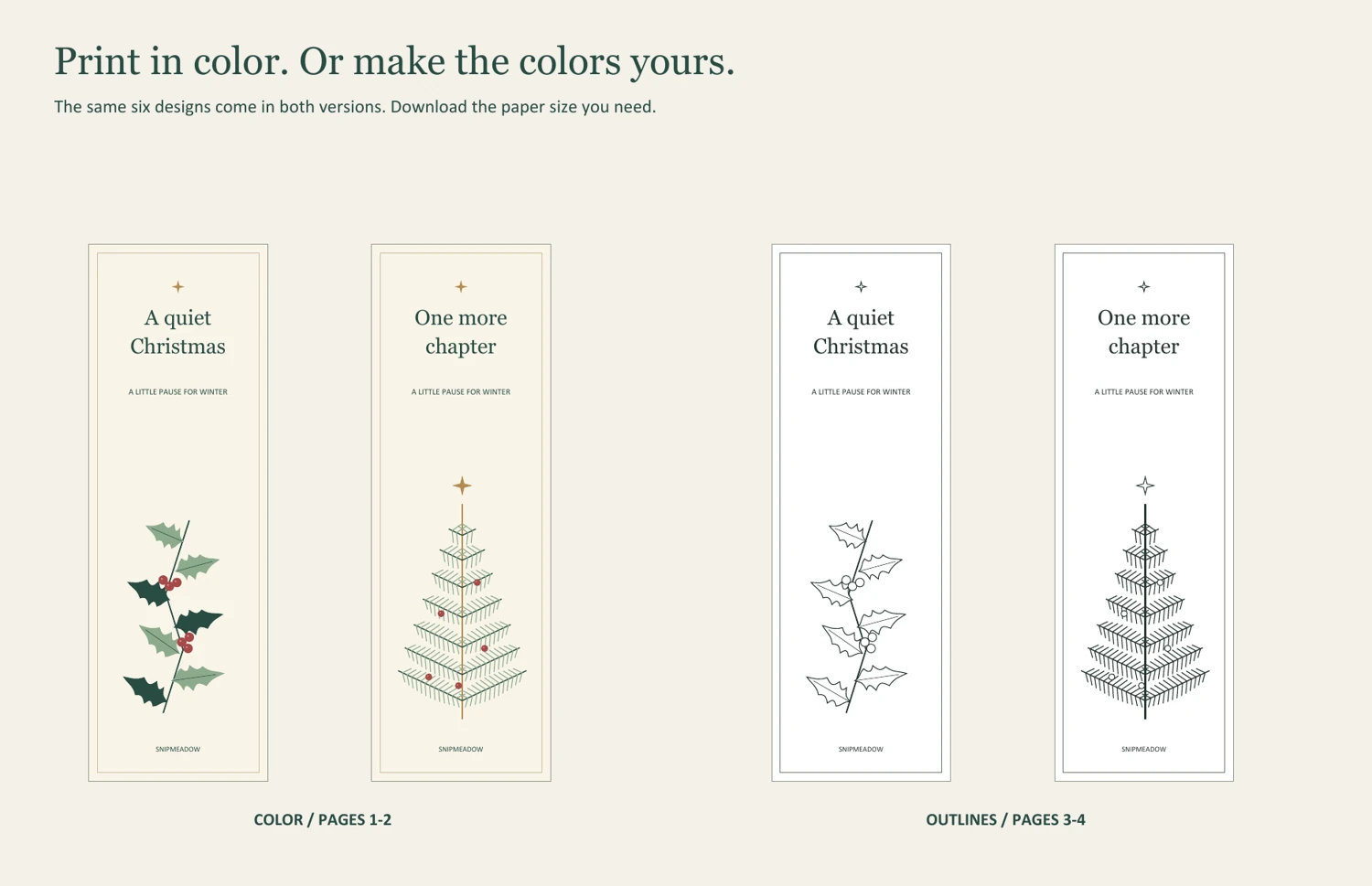
For the quickest finish, print the color pages and cut them out. For a small creative break, print only the outline pages and color the designs before cutting; the surrounding sheet gives you something to hold while you work.
Colored pencils suit the fine branches and small berries. Test markers on a spare area of your chosen paper first, because some can bleed or smear printer ink. Keeping the palette to two or three colors makes the six bookmarks feel like a set without requiring every leaf to match.
How to print and cut your bookmarks
You need the PDF, a printer, compatible paper, scissors and a ruler. Cardstock is optional: check your printer’s supported paper weight before using it. Ordinary printer paper is fine for a first test; for a firmer bookmark, you can mount the cut piece on a thin backing and trim around it.
1. Match the file and paper size
Open the downloaded file in a PDF reader. Select US Letter for the Letter file or A4 for the A4 file. Print single-sided, and choose only the pages you need: page 1 has designs 1–3, page 2 has 4–6, and pages 3–4 repeat those groups as outlines.
2. Print one sheet at actual size
Select Actual size or 100% scale. The Fit setting can change the dimensions; Adobe’s PDF page sizing guide explains these options. Measure the one-inch check line printed at the bottom of the sheet before making more copies.
At 100%, these free printable Christmas bookmarks measure 50.8 × 152.4 mm (2 × 6 inches). Check that all three outer borders are visible and that the text looks clear. The files have been checked digitally for layout; your first printed sheet is the test for your own printer, paper and ink.
3. Let the ink dry, then cut
Allow the sheet to dry before coloring or handling the printed areas. Cut along each outer rectangle, leaving the thin inner frame intact. A straight edge is all you need; there is no folding, hole-punching or assembly required. Keep any added decoration flat so the bookmark sits comfortably between pages.
Simple ways to use your Christmas bookmarks
Give one with a book. Write a short message on the plain reverse and place the bookmark near the title page. For wrapped gifts, keep it inside the book and add a separate free printable Christmas gift tag to the outside.
Mark a December journal entry. Use the bookmark to find the page you are working on, then choose a question from the Christmas journal prompts. The bookmark stays removable, so you can move it as your notebook fills.
Make a quiet coloring pair. Print an outline sheet and set out two or three pencils with a book. Color one design now and leave the others for another day. If you want matching seasonal page decorations, browse the separate Christmas junk journal printables.
Printing problems and quick fixes
The bookmark is smaller than 2 × 6 inches: check whether Fit, Shrink or multiple pages per sheet is selected. Switch to 100% or Actual size and remeasure the one-inch line. Use the PDF rather than printing a screenshot of the preview.
A border is missing: confirm that the selected paper size matches both the file and the paper in the tray. If your printer cannot reproduce the full sheet at actual size, Fit may avoid clipping, but the finished bookmarks will be smaller.
The colors look different: screens, printers and paper produce different results. Print one test page before using special paper. If you prefer to control the palette yourself, choose the outline pages and add pencil color after the ink is dry.
A design appears on the back: turn off duplex or two-sided printing. The four PDF pages are separate front designs, not front-and-back pairs. For a handwritten note, leave the reverse blank and use a pen that does not show through your paper. Write a small test on an offcut before adding a longer message.
Keep the downloads for later: save the PDF with its A4 or US Letter name intact so you can choose the correct file next time. Store finished bookmarks flat in a dry envelope. If you mount one on backing paper, let the adhesive dry fully before placing it inside a book.
Free printable Christmas bookmarks: questions
Are these free printable Christmas bookmarks really free?
Yes. Both PDF downloads are free for personal use and personal gifting, with no required email signup. The files contain the same six original designs in color and outline versions; choose A4 or US Letter to match your printer.
Can I print only the black-and-white bookmarks?
Yes. Select pages 3–4 in the print dialog for all six outline designs, or just one of those pages for three bookmarks. You can leave them black and white or color them yourself.
Do I need cardstock or lamination?
Neither is required. Printer-compatible cardstock gives a firmer result, while normal paper can be backed after cutting. Keep the finished bookmark thin enough for your book. Always check the printer’s paper specifications before feeding heavier sheets.
Can I add my own wording?
These are finished PDFs, not editable text templates. Add a handwritten name, date or personal message to the blank reverse after printing. For more small paper projects, visit the free printables library.
Save these free printable Christmas bookmarks on Pinterest so the download is easy to find when you are ready to print.
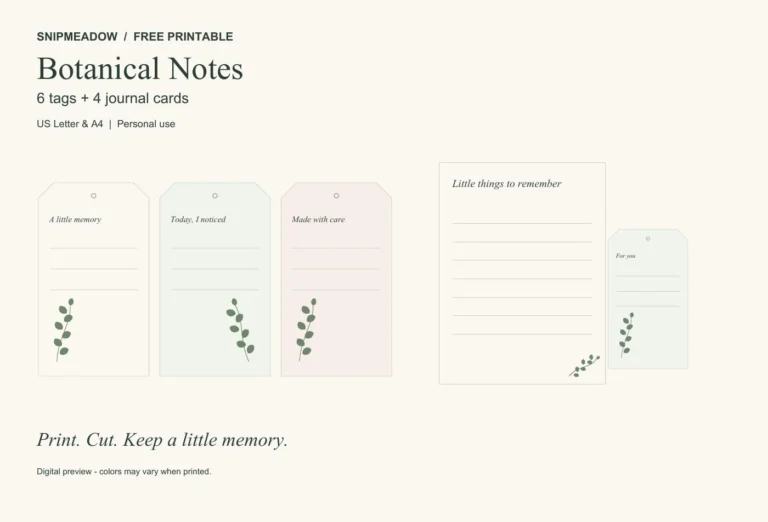


Looking for another little project? Explore Journaling, Printables or Paper Crafts.